Challenge

Too many tools, too much time

AXS required my managers to spend time tracking their team's work across four tools — all with a different purpose, audience, and level of detail. But the same projects were tracked multiple times. Instead of looking for a single, ideal project tracking tool, I decided to build our own. Having used many, I knew they all had their own gaps.

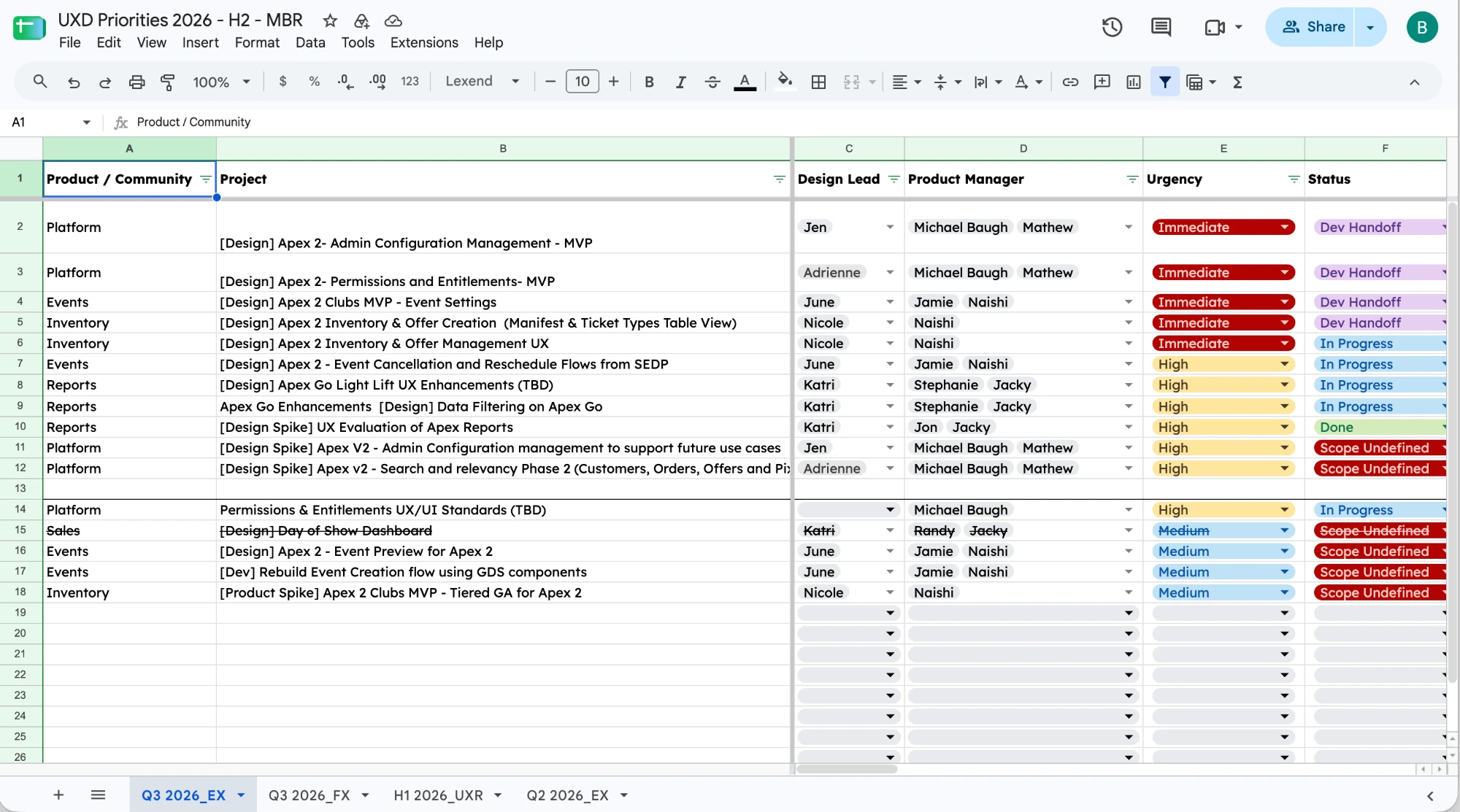
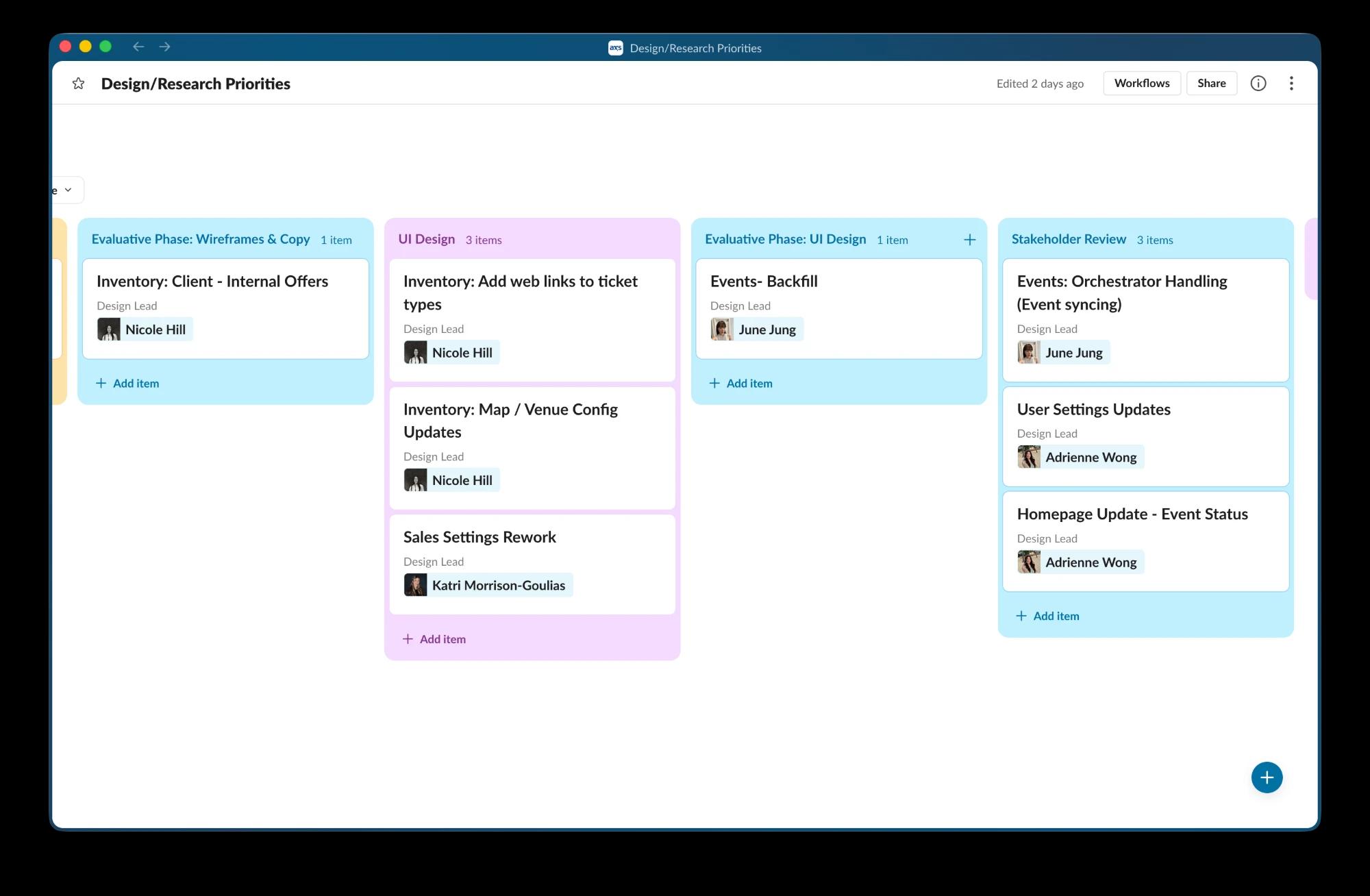
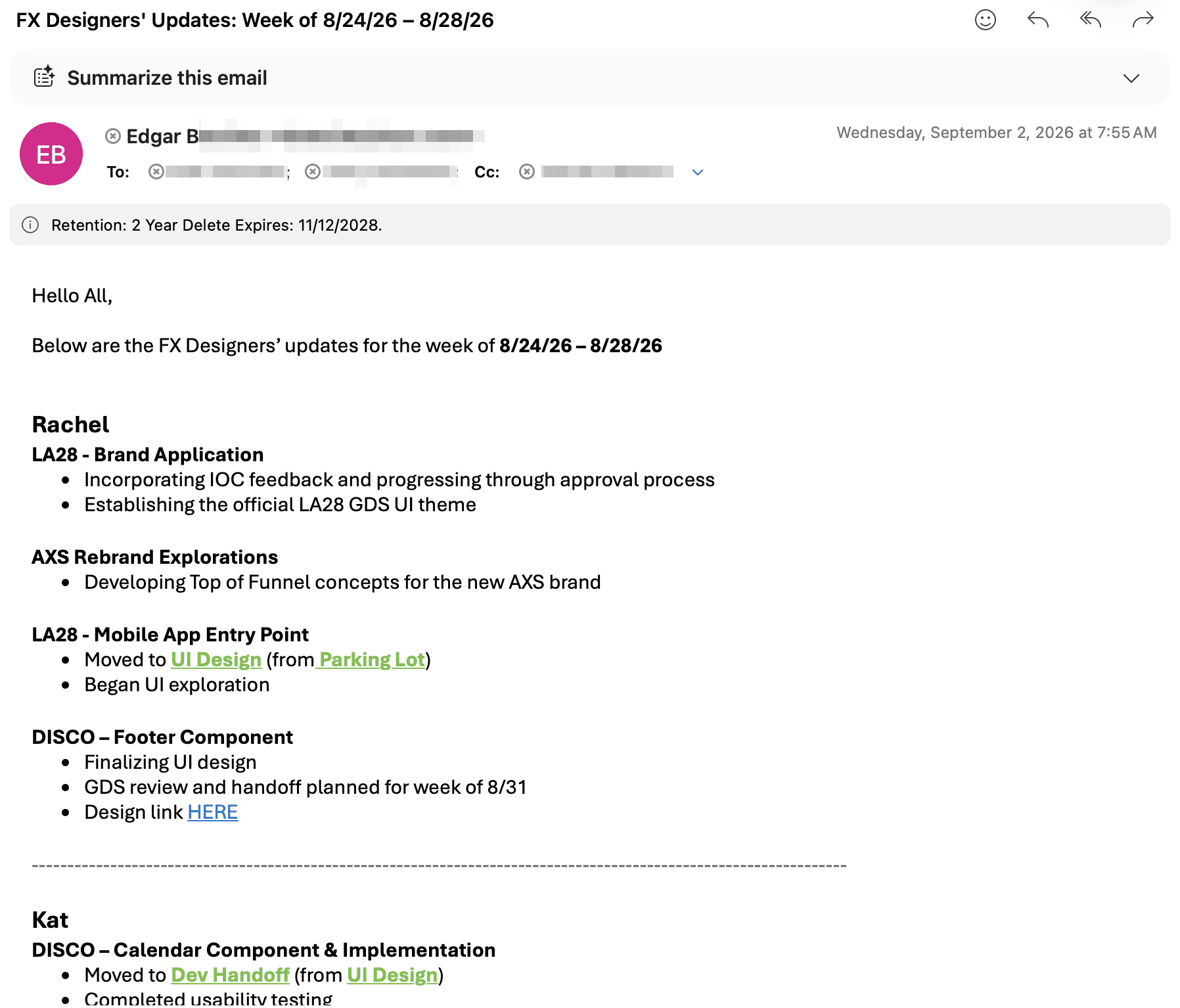
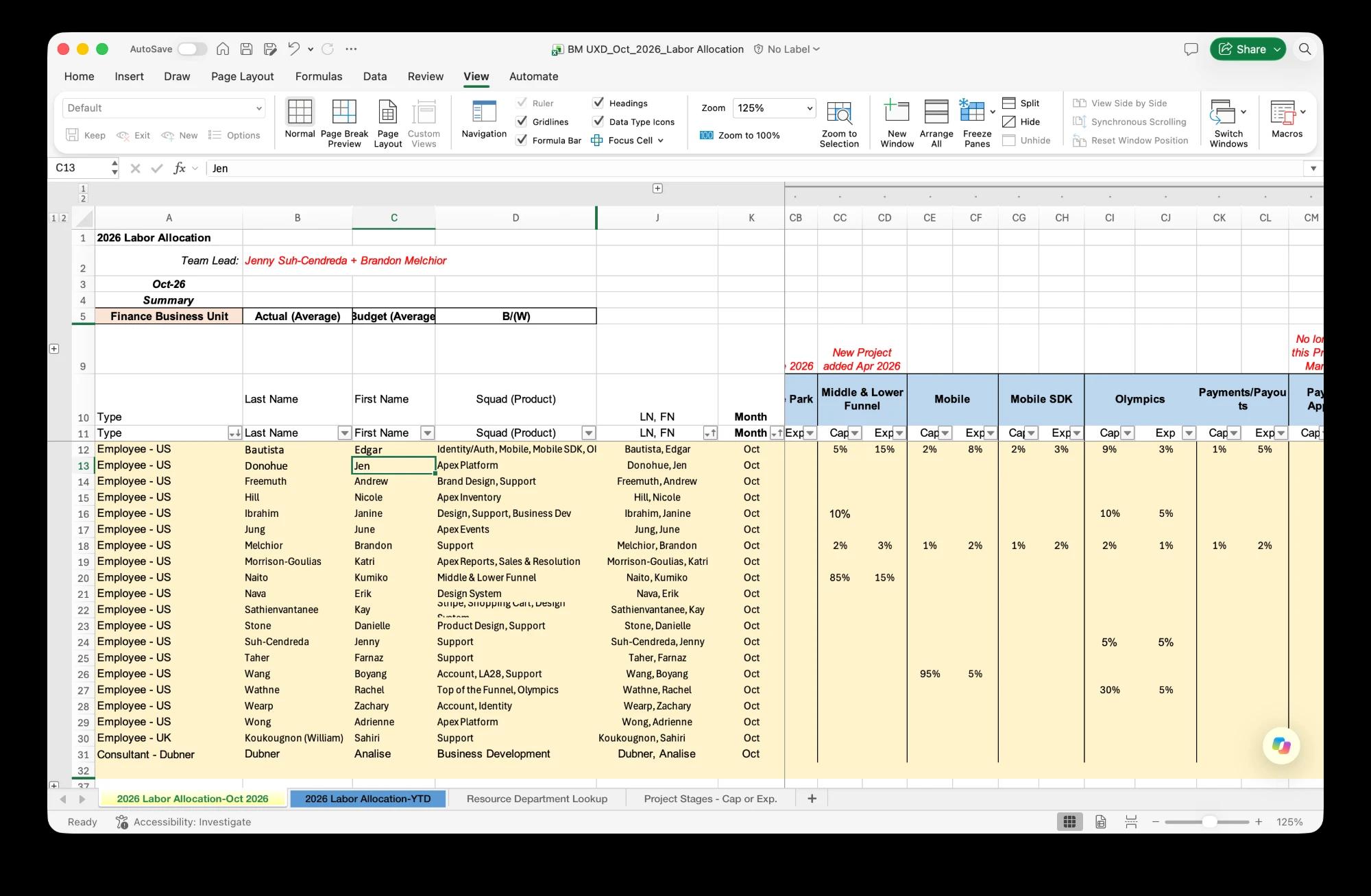
Managers used to use Sheets, Excel, Slack Kanban, and email
Project tracking can be tedious. Tracking it across four tools is painful. What I do think is important is managing time and priorities, and when each designer is juggling multiple fast-moving projects across different product managers who each have their own priorities, time management can be empowering.

And this is how I like to think about project management: as an empowering tool for designers to own their own time and force conversations about priorities across squads.

We collected an initial list of projects, and their priority and scope, in a spreadsheet during cap planning. Weekly standups were tracked in Slack's kanban board. A weekly summary is sent to Product VPs for visibility. And the finance team collected monthly work allocation with a capex vs opex breakdown.

There are plenty of project management tools to choose from. Jira, Basecamp, Asana, Monday — they'd all work in different ways. But they also have 100 other features we don't need. There are licenses to acquire, as well as onboarding and training.

But it's 2026. We have the tools and capabilities to build what we need, and make it what we want.
Solution

Built in Cursor, shaped by team feedback

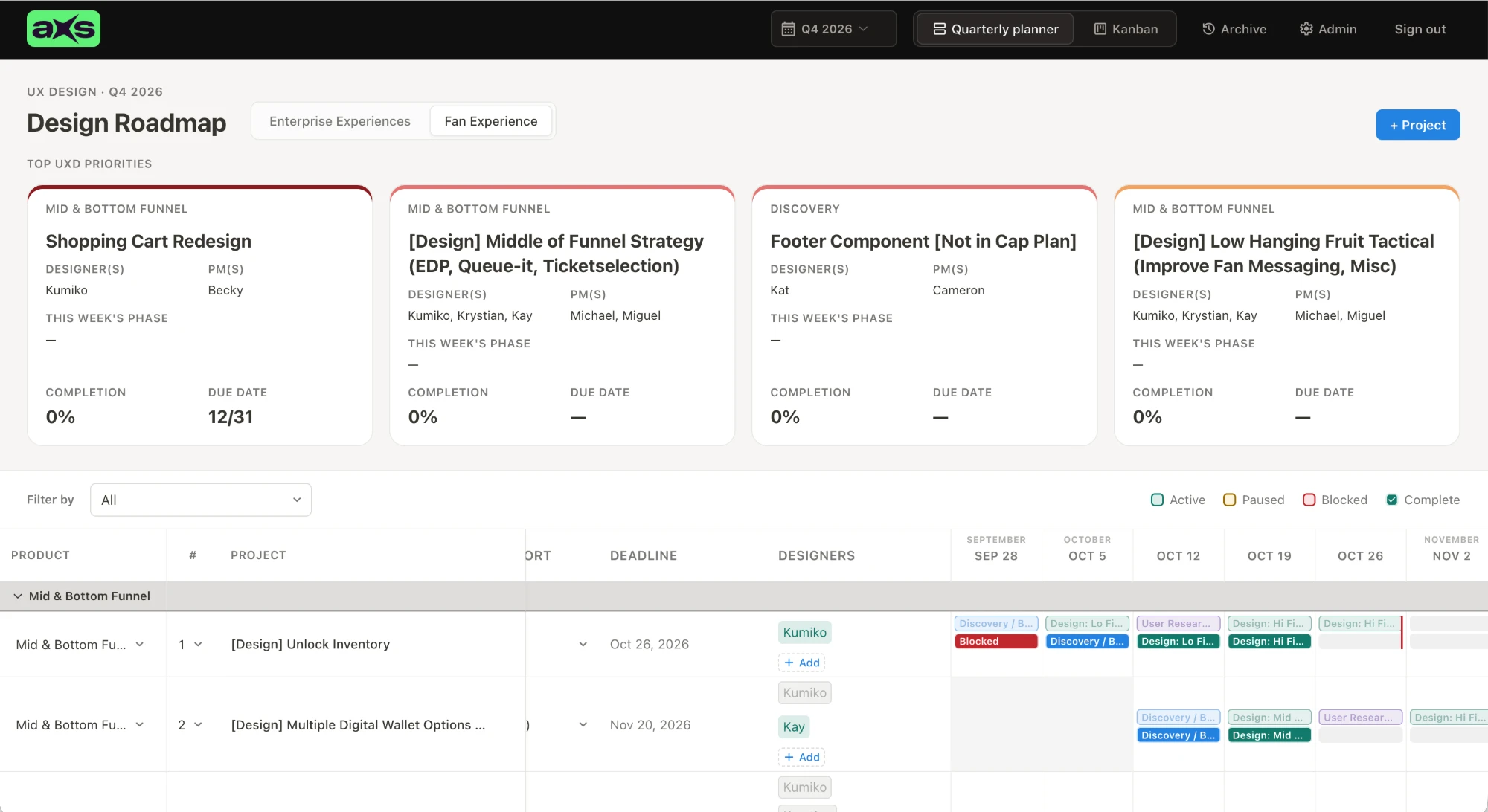
Design Roadmap quarterly planner: top priority cards and a weekly gantt timeline of project phases by designer

My first prototype got some pushback, so I quickly pivoted and built a tool that empowered designers to manage their own time and priorities.

Using Cursor, the same tool I build personal apps with, I made a prototype in a few hours: designers hit Go, Pause, Blocked, or Done, and statuses rolled up into a report for managers.

I demoed it in our Leads meeting expecting pushback, and got it. Designers said they'd forget to update it and their days were too fluid. Fair, and I could relate. But everyone agreed the value was in creating a tool that empowered designers to have real prioritization and scoping conversations with their PM partners.

So I started over and built a custom project management tool in about 12 hours, shaping it with my managers' feedback as I went.

I love a gantt chart for designers. It's a visual way to show our workload across multiple projects. This isn't micro-managing overhead. It gives designers the structure, clarity and agency many of us crave in a fast-paced nimble environment, so they can get real heads-down time. Instead of feeling obligated to "hey, jump on this real quick," they can show someone where their time is being spent and say "sure, but we should talk to this PM because she said her project is priority."

Each designer has two rows in their gantt chart — a plan row, and a work row. Since we do quarterly planning, the plan row helps us estimate, and the work row shows when the actual work was paused or blocked, and helps designers estimate their work by seeing how it tracks to their actual work.

Results

One tool. Completely custom. Better visibility.

12 hrsto build the tool
4→1tools consolidated

Designers now own their plans, and designers and managers support each other in weekly standups.

Anyone in the company can open the tool, so visibility improved, and our operations lead no longer chases people down for her numbers.